Free-up hard disk space and organize files on your Windows computer. Manage your disk space consumption prudently, and help your Hard Disk gets better again.


Why Disk Analyzer Pro?
Analyzes Space Usage
The scan report shows the usage statistics of the storage in terms of file count, size and percentage. It is one of the best disk space analyzer available today.
-
![Other Files]() Other Files
Other Files -
![Junk Files]() Junk Files
Junk Files -
![Audio Files]() Audio Files
Audio Files -
![Compressed Files]() Compressed Files
Compressed Files -
![Video Files]() Video Files
Video Files -
![Document Files]() Document Files
Document Files -
![Image Files]() Image Files
Image Files


Guide to Happy
- Copy
![Analyzes Space Usage]()
- Move
![Analyzes Space Usage]()
- Compress
![Analyzes Space Usage]()
- Delete
![Analyzes Space Usage]()
- More Features and Benefits


Features and Benefits
With Disk Analyzer Pro, you can identify large files & folders, delete obsolete ones and de-clutter your data to recover precious disk space & keep your storage organized!
Detailed disk space consumption reports
Manage disk space consumption grouped by file type, file size, attributes, file date, and file ownership. Drill down and examine which files are using up your valuable disk space. It's likely that your current hard drive is large enough for your needs if you manage your data storage prudently.

Search unwanted files with your own search criteria
Disk Analyzer Pro allows you to specify your own search terms while looking for unwanted files and folders consuming your disk space.

Find and delete junk and temporary files
Month after month, we all accumulate useless files. Every time we visit the Internet, we're creating junk files and temporary Internet files on our hard drives. You probably have hundreds - or thousands - of zero-size files on your hard disk today. Disk Analyzer Pro finds them and makes it simple to delete them.

Locate the biggest folders and oldest files
Create a list of the largest space-grabbing folders and the oldest unused files on your hard disk drives. You may be able to delete these worthless files immediately, and free up some valuable disk space.

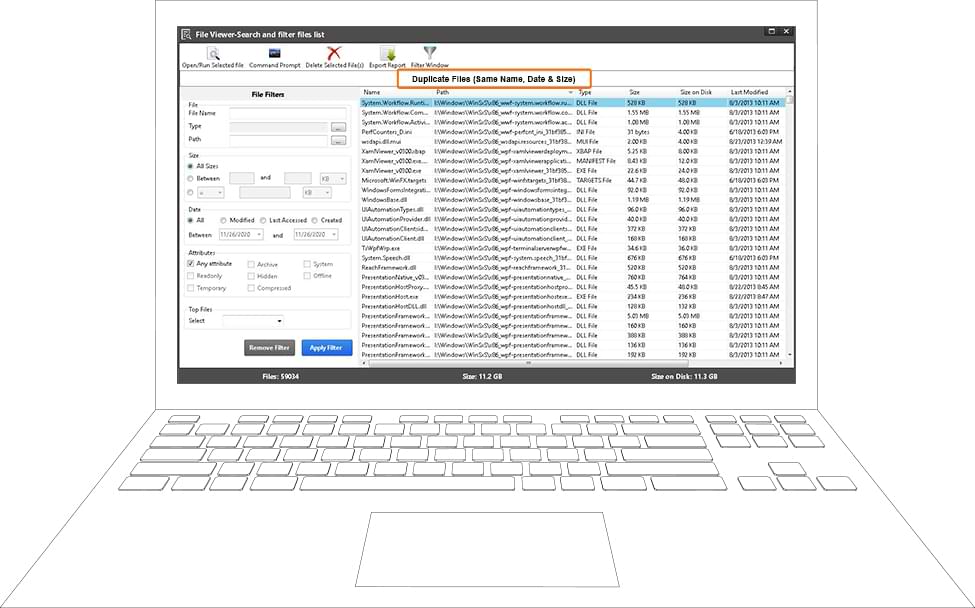
Find duplicate images, videos, and compressed files
Network computers are often filled with videos, images, audio files, and compressed files duplicated all over the hard disk. Disk Analyzer Pro can locate these files and help you to remove the ones that you no longer need.
Export disk space reports to external file formats
Save your disk management reports as HTML, comma-delimited (CSV) files, or XML files. Import them into other software for further analysis, or perform time-based analysis to see how quickly your hard drive is filling up.


A powerful Disk Analysis Tool for Windows
Disk Analyzer Pro provides a simple and effective way of taking control of all your files. It allows users to delete all files that are doing nothing more than sitting idle and hogging storage space.